Posts

Self-Portrait Calligram

Image
After learning how to use the text tool, the place tool, as well as reapplying the pen tool in Adobe Illustrator, we gained the knowledge needed in order to create our very own calligrams. First we wrote a letter to ourselves 20 years from now. Then using a self-portrait, we traced the outline of the picture to highlight the important features of our face and used the text tools we learned to implement words/sentences from the letter to create an image. The original letter, picture, and final calligram are below!

Loud Entertainment Co. Logo Design

Image
For the past few weeks we have been learning how to use Illustrator and the different tools we can use to create effective designs. Ultimately, the goal was to use the knowledge we gained to create a logo. In addition, before starting the project we had to write down 5 words that describe who we are. My words were confident, loud, friendly, responsible, and trustworthy. Using those 5 words, we had to create sketches of possible logos, choose the best one to make in Illustrator, use it to create business cards, and apply the design on 3 3-D objects. I ended up choosing the word "loud" for my design. My process is shown below!

Pikachu in Illustrator

Image
 After learning how to create shapes and use the pen/anchor tools in Adobe Illustrator, we recreated Pikachu using a picture from the internet. Below is the original picture with my work from Illustrator!

HTML5 Canvas

Image
After learning how to draw and trace images using Adobe Dreamweaver on HTML5 Canvas, we were tasked with creating and coding an image of our choice. For this project I chose to do Rick and Morty. I’ve never coded before so the project was very stressful, considering I still didn’t fully understand it when I started. This project took me about 16 hours to complete, but I couldn’t be happier with the outcome despite the mistakes. Below is my final project with the photo inspiration and a screenshot of code we learned

Radial and Linear Gradients on Canvas

Image
In class we used Dreamweaver in order to create different shapes and illustrations. After a few days we were able to create linear and radial gradients both in the background and inside the shapes we made. Below I've attached 2 pieces of art I created using Dreamweaver!

ASCII Selfie Art

Image
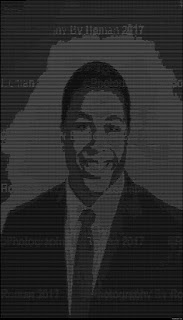
Below is a selfie that I converted to ASCII Art using  http://glassgiant.com/ascii/    

Introduction!

Image
Welcome to my blog! My name is Myles Boyd and I am a junior at the University of Tampa, but I am originally from Milford, CT. I am majoring in New Media with the hopes of being a film editor and maybe doing some work in front of the camera myself. I have an interest in making vlogs and just documenting my everyday life, but also have an interest in the professional side. I'm hoping this class will help me enhance my photo editing skills and finding new ways to be creative digitally so I can use those techniques in the real world. Stick around and enjoy the show!